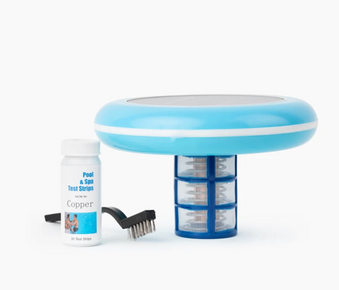
PoolRX Algaecide Blue is a mineral-based algae prevention system that uses a slow-release unit placed in your pool's skimmer or pump basket. Install one unit per 7,500 to 20,000 gallons, replace every 4 to 6 months, maintain proper water chemistry, and reduce chlorine usage by up to 50%. This guide covers complete installation procedures and best practices for season-long algae prevention.
Table of Contents
What is PoolRX Algaecide Blue?
PoolRX Algaecide Blue is a mineral-based algae prevention system that uses a slow-release chelated mineral technology to prevent algae growth in swimming pools. Unlike traditional liquid algaecides that require weekly application, PoolRX uses a physical unit placed in your pool's circulation system that continuously releases minerals for 4 to 6 months. This innovative approach provides season-long algae prevention while reducing chlorine consumption and chemical usage.
Key Features of PoolRX Algaecide Blue
- Mineral-based system: Uses chelated minerals for algae prevention
- Slow-release technology: Continuous protection for 4 to 6 months
- Reduces chlorine needs: Cut chlorine usage by up to 50%
- Easy to use: Simply place in skimmer or pump basket
- Long lasting: One unit lasts entire season
- Safe for all surfaces: Compatible with vinyl, fiberglass, plaster, and tile
- Works with all sanitizers: Compatible with chlorine, salt, and mineral systems
- Eco-friendly: Reduces chemical usage
How PoolRX Works
PoolRX Algaecide Blue contains chelated minerals that slowly dissolve as water flows through your pool's circulation system. These minerals are distributed throughout the pool, creating an environment that prevents algae growth. The slow-release formula ensures consistent mineral levels for months, eliminating the need for weekly liquid algaecide applications.
Why Choose PoolRX Algaecide Blue?
Benefits of Mineral-Based Algae Prevention
- Prevents all types of algae growth
- Reduces chlorine consumption by up to 50%
- Lowers overall chemical costs
- Eliminates weekly algaecide applications
- Provides season-long protection
- Maintains crystal clear water
- Eco-friendly approach to pool care
- Safe for all pool types and surfaces
Learn about how ionizers clear pools without harsh chemicals and solar ionizers for reduced chemical adjustments.
Cost Savings and Convenience
PoolRX eliminates the need to purchase and apply liquid algaecide weekly throughout the swimming season. The reduced chlorine consumption also lowers chemical costs. One PoolRX unit provides 4 to 6 months of protection, making it a cost-effective and convenient alternative to traditional algaecide programs.
When to Install PoolRX
Ideal Times for Installation
Pool Opening:
- Install at spring pool opening
- Establishes algae prevention from season start
- Protects pool during initial water balancing
- Most common installation time
Learn about the optimal time to install a solar pool ionizer.
Mid-Season Installation:
- Can install anytime during swimming season
- Provides immediate algae prevention
- Reduces chemical usage from installation forward
After Algae Treatment:
- Install after clearing existing algae
- Prevents algae recurrence
- Maintains clear water long-term
For severe algae problems, see how to fix green pool quickly.
Step by Step Installation Guide
Step 1: Test and Balance Water Chemistry
Before installing PoolRX, ensure proper water balance:
- pH: 7.2 to 7.6
- Total Alkalinity: 80 to 120 ppm
- Free Chlorine: 1 to 3 ppm
- Calcium Hardness: 200 to 400 ppm
Learn about how to maintain your pool's pH balance, how to manage pool water hardness, and how solar ionizers support balanced pool water.
Step 2: Calculate Pool Volume
Determine how many PoolRX units you need:
Rectangular Pools:
Length (ft) × Width (ft) × Average Depth (ft) × 7.5 = Gallons
Round Pools:
Diameter (ft) × Diameter (ft) × Average Depth (ft) × 5.9 = Gallons
Oval Pools:
Length (ft) × Width (ft) × Average Depth (ft) × 6.7 = Gallons
Step 3: Determine Number of Units Needed
PoolRX Algaecide Blue sizing guidelines:
Pool Size and Unit Requirements
One Unit Treats: 7,500 to 20,000 gallons
Units Needed by Pool Size:
- 7,500 to 20,000 gallon pool: 1 unit
- 20,001 to 40,000 gallon pool: 2 units
- 40,001 to 60,000 gallon pool: 3 units
Replacement Schedule
- Replace every 4 to 6 months
- Typical replacement: Mid-season or at pool closing
- Mark calendar for replacement reminder
Step 4: Prepare Pool for Installation
Get ready to install PoolRX:
- Ensure pool is clean and free of algae
- Balance water chemistry
- Turn on pool pump
- Locate skimmer basket or pump basket
- Have PoolRX unit ready
Step 5: Install PoolRX Unit
Place unit in circulation system:
Skimmer Installation (Most Common):
- Turn off pool pump
- Remove skimmer basket
- Place PoolRX unit in skimmer basket
- Replace skimmer basket with PoolRX inside
- Turn pump back on
- Verify water is flowing through skimmer
Pump Basket Installation (Alternative):
- Turn off pool pump
- Open pump basket lid
- Place PoolRX unit in pump basket
- Close pump basket lid securely
- Turn pump back on
- Check for proper water flow
Step 6: Run Pump and Monitor
Allow PoolRX to begin working:
- Run pump for normal daily cycle (8 to 12 hours)
- PoolRX begins releasing minerals immediately
- Full effectiveness within 24 to 48 hours
- Monitor water clarity over next few days
- Reduce chlorine usage gradually
Learn about how pool circulation supports proper maintenance.
Ongoing Maintenance Schedule
Weekly Maintenance Routine
Every Week:
- Test water chemistry (pH, alkalinity, chlorine)
- Adjust chemistry as needed
- Reduce chlorine usage by up to 50%
- Run pump for 8 to 12 hours daily
- Skim surface and empty skimmer baskets
- Brush pool walls and floor
- Vacuum pool if needed
- Check filter pressure
Follow weekly pool cleaning routines for clear water and avoid pool cleaning mistakes.
Monthly Maintenance Tasks
- Deep clean or backwash filter
- Test all water parameters
- Inspect pool equipment
- Clean pool tiles and waterline
- Check PoolRX unit is still in place
- Verify algae prevention is working
Learn how to clean pool tiles effectively.
Replacement Schedule
Every 4 to 6 Months:
- Remove old PoolRX unit
- Install new PoolRX unit
- Typical schedule: Install at opening, replace mid-season
- Or install at opening, replace at closing
- Mark calendar for next replacement
Pro Tips for Maximum Effectiveness
Expert Tips from Pool Professionals
- Install at pool opening: Provides season-long protection
- Reduce chlorine gradually: Cut usage by 25% first week, then up to 50%
- Maintain water balance: Proper pH ensures optimal performance
- Run pump daily: Adequate circulation distributes minerals
- Replace on schedule: Don't wait beyond 6 months
- Keep unit in circulation: Ensure it stays in skimmer or pump basket
- Clean pool regularly: PoolRX prevents algae, not debris
- Monitor water clarity: Adjust chlorine as needed
- Remove debris: Keep pool clean with regular maintenance
- Practice eco-friendly methods: Learn eco-friendly pool cleaning practices
Avoid Common Mistakes
- Not reducing chlorine: Take advantage of reduced chemical needs
- Installing in dirty pool: Clean pool before installing
- Forgetting to replace: Mark calendar for 4 to 6 month replacement
- Removing unit: Keep PoolRX in circulation system
- Ignoring water balance: Maintain proper pH and alkalinity
- Not running pump: Needs daily circulation to work
- Expecting instant results: Allow 24 to 48 hours for full effectiveness
- Using with incompatible systems: Check compatibility first
Maximizing PoolRX Performance
Water Chemistry: Maintain proper balance for optimal performance. pH between 7.2 and 7.6 is critical.
Circulation: Run pump 8 to 12 hours daily to ensure minerals distribute throughout pool.
Chlorine Reduction: Gradually reduce chlorine usage by up to 50% to save money and reduce chemical exposure.
Regular Cleaning: Continue brushing and vacuuming to remove debris and maintain water clarity.
Troubleshooting Common Issues
Problem: Algae Appeared Despite Using PoolRX
Solutions:
- Verify PoolRX unit is still in skimmer or pump basket
- Check if unit needs replacement (over 6 months old)
- Test and balance pH to 7.2 to 7.6
- Ensure pump runs 8 to 12 hours daily
- Verify chlorine levels are adequate (1 to 3 ppm)
- Shock pool to kill existing algae
- Brush pool surfaces vigorously
- Clean filter thoroughly
Problem: Water Appears Cloudy
Solutions:
- Test and balance all water chemistry
- Clean or backwash filter
- Run pump 12 to 24 hours continuously
- Add clarifier if needed
- Verify chlorine levels are adequate
- Check that PoolRX unit is in place
See how to handle cloudy water in swimming pools.
Problem: PoolRX Unit Dissolved Too Quickly
Causes and Solutions:
- High chlorine levels: Reduce chlorine usage as directed
- Low pH: Maintain pH at 7.2 to 7.6
- Excessive water flow: Normal for high-flow systems
- Replace unit and monitor dissolution rate
Problem: Not Seeing Chlorine Reduction
Solutions:
- Allow 1 to 2 weeks for full effectiveness
- Gradually reduce chlorine by 25% increments
- Monitor water clarity before reducing further
- Maintain minimum 1 ppm chlorine
- Verify PoolRX unit is working properly
Frequently Asked Questions
How many PoolRX units do I need?
Use 1 unit per 7,500 to 20,000 gallons. For a 15,000 gallon pool, use 1 unit. For a 30,000 gallon pool, use 2 units.
How long does PoolRX last?
PoolRX Algaecide Blue lasts 4 to 6 months. Replace when unit has completely dissolved or after 6 months, whichever comes first.
Where do I install PoolRX?
Place PoolRX in your skimmer basket or pump basket. Most installations use the skimmer basket for convenience.
Can I swim immediately after installing PoolRX?
Yes! PoolRX is safe and you can swim immediately after installation. No waiting period is required.
Will PoolRX kill existing algae?
PoolRX prevents algae growth but doesn't kill existing algae. For active algae, shock pool first, then install PoolRX to prevent recurrence.
How much can I reduce chlorine with PoolRX?
You can reduce chlorine usage by up to 50% while maintaining proper sanitization. Reduce gradually and monitor water quality.
Will PoolRX stain my pool?
When used as directed with proper pH balance, PoolRX should not stain. Maintain pH between 7.2 and 7.6.
Can I use PoolRX in a saltwater pool?
Yes! PoolRX is compatible with saltwater pools and all sanitizer systems.
Learn about cleaning and maintaining saltwater pools.
What if the PoolRX unit falls out of the basket?
Retrieve the unit and place it back in the skimmer or pump basket. Ensure basket is properly seated to prevent unit from escaping.
Can I use PoolRX with a solar pool ionizer?
Both PoolRX and solar pool ionizers use mineral technology for algae prevention. Using both together may provide enhanced protection, though one system is typically sufficient.
Explore what does a pool ionizer do, what is solar pool ionizer, how to choose solar pool ionizer, and pool ionizer pros and cons.
How is PoolRX different from liquid algaecides?
PoolRX provides continuous mineral release for 4 to 6 months, eliminating weekly liquid algaecide applications. It also reduces chlorine consumption, making it more cost-effective and convenient.
Conclusion
PoolRX Algaecide Blue provides convenient, long lasting algae prevention for swimming pools using mineral-based technology. By following proper installation procedures (placing unit in skimmer or pump basket), maintaining balanced water chemistry, and replacing every 4 to 6 months, you can enjoy season-long algae protection while reducing chlorine usage by up to 50% and eliminating weekly liquid algaecide applications.
For pool owners seeking a solar-powered alternative that provides similar mineral-based algae prevention without requiring replacement units, consider a solar pool ionizer which uses solar energy to release copper and silver ions continuously, reducing chlorine needs by up to 85% while providing season-long algae and bacteria prevention with minimal maintenance and an eco-friendly approach to pool care.