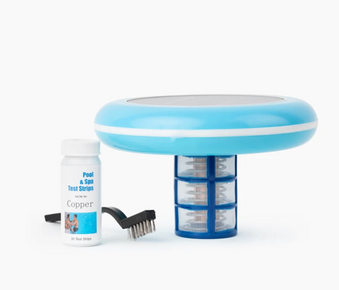
Orenda PR-10000 is a concentrated phosphate remover that eliminates up to 9000 ppb of phosphates per liter. Add 1 liter per 10,000 gallons to remove approximately 900 ppb phosphates. Pour around pool perimeter with pump running, circulate 24 to 48 hours, clean filter, retest phosphates. This guide covers complete dosing, application, and phosphate management for maintaining algae free pool water.
Table of Contents
- What is Orenda PR-10000?
- Why Remove Phosphates from Your Pool?
- Before You Begin: Testing and Preparation
- Dosage Calculator and Guidelines
- Step by Step Application Guide
- After Treatment: Testing and Maintenance
- Preventing Phosphate Buildup
- Pro Tips for Maximum Effectiveness
- Troubleshooting Common Issues
- Frequently Asked Questions
What is Orenda PR-10000?
Orenda Technologies PR-10000 is a professional grade, concentrated phosphate remover designed to eliminate phosphates from swimming pool water. This powerful formula removes up to 9000 parts per billion (ppb) of phosphates per liter, making it one of the most effective phosphate removers available. By eliminating phosphates, PR-10000 removes the primary food source for algae, preventing algae growth and reducing chlorine demand.
Key Features of PR-10000
- Highly concentrated formula: Removes up to 9000 ppb per liter
- Fast acting: Works within 24 to 48 hours
- Professional strength: Used by pool service professionals
- Safe for all surfaces: Compatible with vinyl, fiberglass, plaster, and tile
- Works with all sanitizers: Compatible with chlorine, salt, bromine, and mineral systems
- Non toxic: Safe for swimmers when used as directed
- Concentrated formula: Less product needed per treatment
- Clear results: Visible improvement in water clarity
How PR-10000 Works
PR-10000 uses lanthanum based chemistry to bind with phosphates in pool water, forming insoluble particles that are captured by your filter. This process permanently removes phosphates from the water rather than just masking them, providing long lasting algae prevention.
When combined with proper weekly pool cleaning routines, PR-10000 helps maintain crystal clear, algae free water.
Why Remove Phosphates from Your Pool?
The Phosphate Algae Connection
Phosphates are nutrients that serve as food for algae. Even with proper chlorine levels, high phosphate concentrations can lead to persistent algae blooms. Removing phosphates eliminates this food source, making it much harder for algae to grow and thrive in your pool.
Benefits of Phosphate Removal
- Prevents recurring algae blooms
- Reduces chlorine consumption by up to 30%
- Improves water clarity and sparkle
- Decreases need for algaecides
- Reduces frequency of shocking
- Lowers overall chemical costs
- Makes pool maintenance easier
- Extends time between cleanings
Common Sources of Pool Phosphates
- Fertilizers from lawns and gardens
- Leaves, grass clippings, and organic debris
- Pollen from trees and plants
- Swimmer body oils and cosmetics
- Some pool chemicals and treatments
- Fill water from certain sources
- Rainwater runoff
- Decomposing organic matter
Learn more about dealing with leaves and debris to minimize phosphate introduction.
Before You Begin: Testing and Preparation
Test Your Phosphate Levels
Before treating with PR-10000, test your current phosphate levels:
- Use a phosphate test kit (like Taylor K-1106)
- Test at elbow depth away from returns and skimmers
- Record your phosphate level in ppb
- Ideal level: Below 500 ppb
- Treatment recommended: Above 500 ppb
- Aggressive treatment needed: Above 1000 ppb
Pre Treatment Checklist
- Test and record current phosphate level
- Calculate pool volume accurately
- Determine required PR-10000 dosage
- Ensure filter is clean before treatment
- Balance water chemistry (pH 7.2 to 7.6)
- Have extra filter cleaner on hand
- Plan for 24 to 48 hour treatment period
- Avoid scheduling before pool parties
Water Chemistry Requirements
Ensure proper water balance before treating:
- pH: 7.2 to 7.6 (adjust if needed)
- Total Alkalinity: 80 to 120 ppm
- Free Chlorine: 1 to 3 ppm
- Calcium Hardness: 200 to 400 ppm
- Water temperature: Above 60°F for best results
Understanding balanced pool water is essential for optimal phosphate remover performance.
Dosage Calculator and Guidelines
Standard Dosage Formula
PR-10000 removes approximately 900 ppb of phosphates per liter per 10,000 gallons of water.
Basic Formula:
Liters needed = (Current phosphate ppb ÷ 900) × (Pool gallons ÷ 10,000)
Dosage Examples by Pool Size and Phosphate Level
For 1000 ppb Phosphates:
- 10,000 gallon pool: 1.1 liters
- 15,000 gallon pool: 1.7 liters
- 20,000 gallon pool: 2.2 liters
- 25,000 gallon pool: 2.8 liters
- 30,000 gallon pool: 3.3 liters
For 2000 ppb Phosphates:
- 10,000 gallon pool: 2.2 liters
- 15,000 gallon pool: 3.3 liters
- 20,000 gallon pool: 4.4 liters
- 25,000 gallon pool: 5.6 liters
- 30,000 gallon pool: 6.7 liters
For 3000 ppb Phosphates:
- 10,000 gallon pool: 3.3 liters
- 15,000 gallon pool: 5.0 liters
- 20,000 gallon pool: 6.7 liters
- 25,000 gallon pool: 8.3 liters
- 30,000 gallon pool: 10.0 liters
Dosage Guidelines
- Round up to nearest 0.5 liter for accuracy
- For phosphates above 3000 ppb, consider multiple treatments
- Maximum single dose: 10 liters per 10,000 gallons
- Wait 48 hours between treatments if multiple doses needed
- Always follow product label instructions
Step by Step Application Guide
Step 1: Clean Your Filter
Start with a clean filter for optimal results:
- Backwash sand or DE filters thoroughly
- Clean cartridge filters with filter cleaner
- Ensure filter pressure is at normal operating level
- Replace filter media if very old or damaged
- Note starting pressure for comparison later
Step 2: Balance Water Chemistry
Adjust water parameters before treatment:
- Test pH and adjust to 7.2 to 7.6
- Test alkalinity and adjust to 80 to 120 ppm
- Ensure chlorine is at normal levels (1 to 3 ppm)
- Allow 4 hours after chemical adjustments
- Retest to verify proper balance
If pH is high, learn what to do if pH level is high and how to reduce pH levels.
Step 3: Calculate and Measure Dosage
Determine exact amount of PR-10000 needed:
- Use dosage formula or chart above
- Measure pool volume accurately
- Calculate liters needed based on phosphate level
- Measure PR-10000 using measuring cup or container
- Have full dosage ready before starting
Step 4: Start Pool Pump
Ensure proper circulation before adding product:
- Turn on pool pump to normal operating speed
- Verify water is circulating properly
- Check that all return jets are flowing
- Ensure skimmers are clear and functioning
- Plan to run pump continuously for 24 to 48 hours
Step 5: Add PR-10000 to Pool
Apply phosphate remover evenly around pool:
- Pour PR-10000 slowly around pool perimeter
- Walk around entire pool while pouring
- Distribute evenly for best results
- Pour near return jets for better mixing
- Avoid dumping in one location
- Do not add directly to skimmer
Step 6: Brush Pool Surfaces
Help distribute product throughout pool:
- Brush pool walls from top to bottom
- Brush pool floor thoroughly
- Pay attention to corners and steps
- Use quality pool brushes for best results
- Brushing helps mix product and dislodge debris
Step 7: Run Pump Continuously
Maintain circulation during treatment period:
- Run pump continuously for 24 to 48 hours
- Do not turn off pump during treatment
- Monitor filter pressure (will increase as phosphates are captured)
- Water may appear slightly cloudy initially (this is normal)
- Avoid swimming during treatment period
Step 8: Clean Filter After 24 Hours
Remove captured phosphate particles:
- Check filter pressure after 24 hours
- Backwash or clean filter when pressure rises 8 to 10 PSI
- May need to clean filter 2 to 3 times during treatment
- This is normal and indicates product is working
- Continue running pump after cleaning
Step 9: Final Filter Cleaning
Complete the treatment process:
- After 48 hours, perform final filter cleaning
- Backwash or clean filter thoroughly
- Return filter pressure should be at normal level
- Water should be clear and sparkling
- Resume normal pump schedule
After Treatment: Testing and Maintenance
Retest Phosphate Levels
Verify treatment effectiveness:
- Wait 48 to 72 hours after treatment
- Test phosphate levels using test kit
- Compare to pre treatment levels
- Target: Below 500 ppb
- If still high, calculate additional dosage needed
- Wait 48 hours before retreating if necessary
Test Other Water Parameters
Ensure complete water balance:
- Free Chlorine: Should be 1 to 3 ppm
- pH: Should be 7.2 to 7.6
- Total Alkalinity: Should be 80 to 120 ppm
- Water Clarity: Should be crystal clear
- Adjust chemistry as needed
Resume Normal Maintenance
Return to regular pool care routine:
- Resume normal pump schedule (8 to 12 hours daily)
- Continue weekly cleaning routines
- Maintain proper chlorine levels
- Test phosphates monthly
- Pool is safe for swimming once water is clear
Preventing Phosphate Buildup
Ongoing Phosphate Management
Minimize phosphate reintroduction:
- Skim leaves and debris daily
- Trim overhanging trees and bushes
- Avoid fertilizing near pool area
- Use pool cover when not in use
- Shower before entering pool
- Clean pool regularly with automatic pool cleaners
- Maintain proper water chemistry
- Test phosphates monthly during season
Natural Phosphate Reduction
- Regular vacuuming removes phosphate containing debris
- Frequent filter cleaning removes trapped phosphates
- Proper circulation prevents phosphate accumulation
- Balanced chemistry optimizes phosphate control
- Good filtration captures phosphate sources
Combining Phosphate Control with Algae Prevention
For comprehensive algae prevention:
- Maintain phosphates below 500 ppb
- Keep chlorine at proper levels (1 to 3 ppm)
- Use algaecide preventively (like No Mor Problems Algaecide)
- Brush pool surfaces weekly
- Maintain balanced water chemistry
- Consider mineral sanitization for added protection
For persistent algae, see how to fix green pool quickly and how to prevent algae growth.
Pro Tips for Maximum Effectiveness
Expert Tips from Pool Professionals
- Clean filter first: Start with clean filter for maximum phosphate capture
- Balance pH before treating: Proper pH ensures optimal product performance
- Run pump continuously: Don't turn off pump during 48 hour treatment
- Clean filter multiple times: Expect to clean filter 2 to 3 times during treatment
- Test before and after: Document phosphate reduction for future reference
- Treat proactively: Don't wait for algae to appear
- Address sources: Identify and eliminate phosphate introduction points
- Maintain regularly: Monthly phosphate testing prevents problems
- Combine with ionization: Use with solar ionization for healthier pool environment
- Keep records: Track phosphate levels and treatments over time
Avoid Common Mistakes
- Underdosing: Calculate dosage accurately based on test results
- Not cleaning filter: Dirty filter reduces phosphate capture
- Turning off pump: Continuous circulation is essential
- Swimming too soon: Wait until treatment is complete
- Ignoring pH: High pH reduces product effectiveness
- Not retesting: Verify phosphate reduction after treatment
- Treating without testing: Always test before treating
- Expecting instant results: Allow full 48 hours for treatment
Avoid common pool cleaning mistakes that can affect water quality.
Maximizing Treatment Results
Water Chemistry: Maintain proper balance for optimal PR-10000 performance. pH between 7.2 and 7.6 is critical.
Filtration: Run pump continuously during treatment and clean filter as pressure rises for maximum phosphate removal.
Circulation: Good water circulation ensures PR-10000 contacts all phosphates in the pool.
Prevention: Regular maintenance and phosphate testing prevent severe buildup requiring aggressive treatment.
Troubleshooting Common Issues
Problem: Water Turned Cloudy After Treatment
Cause: This is normal. PR-10000 binds with phosphates creating particles captured by filter.
Solutions:
- Continue running pump continuously
- Clean or backwash filter when pressure rises
- Water should clear within 24 to 48 hours
- Do not add clarifier during phosphate treatment
- If cloudiness persists beyond 48 hours, check filter operation
For severe cloudiness, see how to handle cloudy water.
Problem: Phosphates Still High After Treatment
Solutions:
- Verify dosage calculation was correct
- Ensure pump ran continuously for 48 hours
- Check that filter was cleaned during treatment
- Test pH (high pH reduces effectiveness)
- Calculate additional dosage needed
- Apply second treatment after 48 hours
- Investigate ongoing phosphate sources
Problem: Filter Pressure Rising Rapidly
Cause: Filter is capturing phosphate particles (this is good)
Solutions:
- Clean or backwash filter when pressure rises 8 to 10 PSI
- May need to clean filter multiple times during treatment
- This indicates product is working properly
- Continue running pump after cleaning
- Final cleaning after 48 hours completes treatment
Problem: Algae Appeared During Treatment
Solutions:
- Maintain proper chlorine levels (1 to 3 ppm)
- Brush pool surfaces vigorously
- Complete phosphate treatment first
- Then shock pool to kill algae
- Add algaecide after shocking
- Clean filter frequently
- Phosphate removal prevents future algae blooms
For mustard algae, learn about treating resistant algae types.
Problem: Staining or Discoloration
Prevention and Solutions:
- Ensure pH is balanced before treatment
- Brush pool surfaces after adding product
- Maintain proper circulation
- If staining occurs, use metal sequestrant
- Brush stained areas vigorously
- May need stain remover for persistent stains
Frequently Asked Questions
How much phosphate does PR-10000 remove?
PR-10000 removes approximately 900 ppb of phosphates per liter per 10,000 gallons of water. One liter treats 10,000 gallons and removes about 900 ppb, making it one of the most concentrated phosphate removers available.
How long does it take PR-10000 to work?
PR-10000 works within 24 to 48 hours. You should see water clarity improvement within 24 hours, with full phosphate removal complete after 48 hours of continuous pump operation.
Can I swim during phosphate treatment?
It's best to avoid swimming during the 24 to 48 hour treatment period. Water may be cloudy as phosphates are being removed, and you want maximum pump runtime for optimal results.
How often should I use PR-10000?
Use PR-10000 when phosphate levels exceed 500 ppb. Test monthly during swim season. Most pools need treatment 1 to 2 times per season, though pools near heavy vegetation may need more frequent treatment.
Will PR-10000 affect my water chemistry?
PR-10000 has minimal impact on water chemistry. It may slightly lower pH, so test and adjust pH after treatment if needed. It does not affect chlorine, alkalinity, or calcium hardness.
Can I use PR-10000 with a saltwater pool?
Yes! PR-10000 is safe for saltwater pools and all sanitizer systems including chlorine, bromine, and mineral systems. It works independently of your sanitization method.
Why does my filter need cleaning during treatment?
PR-10000 binds with phosphates creating particles that your filter captures. As these particles accumulate, filter pressure rises. Cleaning the filter removes captured phosphates and maintains proper water flow.
What if my phosphates are above 3000 ppb?
For phosphates above 3000 ppb, treat with maximum recommended dose, wait 48 hours, retest, and apply second treatment if needed. Very high phosphate levels may require multiple treatments spaced 48 hours apart.
Can I use PR-10000 with other pool chemicals?
Yes, but add PR-10000 separately from other chemicals. Do not mix with other products. Wait 4 hours after balancing chemistry before adding PR-10000. Do not shock pool during phosphate treatment.
How do I prevent phosphates from returning?
Prevent phosphate buildup by skimming debris daily, trimming vegetation near pool, avoiding fertilizer use near pool area, using a pool cover, showering before swimming, and testing phosphates monthly.
Conclusion
Orenda Technologies PR-10000 Phosphate Remover Concentrate provides professional grade phosphate elimination for maintaining algae free pool water. By following proper dosing guidelines, ensuring continuous circulation during treatment, and cleaning your filter as needed, you can effectively remove phosphates and prevent recurring algae problems while reducing overall chemical usage and maintenance requirements.
Key Takeaways
- Test phosphates before treatment to calculate accurate dosage
- PR-10000 removes approximately 900 ppb per liter per 10,000 gallons
- Clean filter before treatment for maximum effectiveness
- Balance pH to 7.2 to 7.6 before adding product
- Pour around pool perimeter with pump running
- Run pump continuously for 24 to 48 hours
- Clean filter 2 to 3 times during treatment as pressure rises
- Retest phosphates 48 to 72 hours after treatment
- Target phosphate level below 500 ppb
- Test monthly and treat proactively to prevent algae
For comprehensive algae prevention that works alongside phosphate control, consider adding a Solar Pool Ionizer which releases copper and silver ions to naturally prevent algae growth while reducing chlorine needs by up to 85%, providing continuous protection even when phosphate levels fluctuate seasonally.