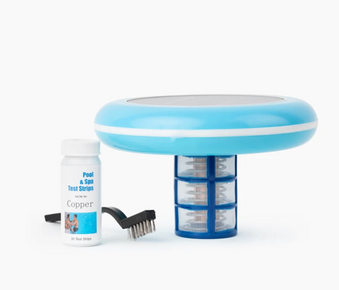
The Zodiac W28155 Nature2 Mineral M-Style Cartridge is a mineral sanitizer that reduces chlorine needs by up to 50%. Install in return line after filter, replace every 6 months, maintain 0.5 to 1.0 ppm chlorine. This guide covers complete installation procedures, maintenance schedules, and best practices for mineral pool sanitization.
Table of Contents
What is Nature2 Mineral M-Style Cartridge?
The Zodiac W28155 Nature2 Mineral M-Style Cartridge is an advanced mineral sanitization system that uses natural minerals to reduce chlorine needs and provide cleaner, clearer pool water. This cartridge releases controlled amounts of minerals into your pool water, working alongside reduced chlorine levels to sanitize water naturally while reducing chemical usage, eye irritation, and chlorine odor.
Key Features of Nature2 M-Style Cartridge
- Mineral sanitization: Uses natural minerals for water purification
- Reduces chlorine needs: Up to 50% less chlorine required
- 6 month lifespan: Replace cartridge every 6 months
- Easy installation: Installs in return line after filter
- Compatible with all pool types: Works with vinyl, fiberglass, plaster, and tile
- Works with chlorine systems: Supplements chlorine sanitization
- Reduces eye irritation: Lower chlorine levels mean less irritation
- Eco-friendly: Reduces chemical usage and environmental impact
Benefits of Nature2 Mineral Sanitization
- Cleaner, clearer water with less effort
- Reduced chlorine consumption and costs
- Less eye and skin irritation
- Reduced chlorine odor
- Softer feeling water
- Continuous mineral release for consistent sanitization
- Environmentally friendly pool care
- Compatible with existing equipment
Learn about pool ionizer pros and cons and the advantages of solar pool ionizers for residential pools.
How Does Nature2 Work?
The Mineral Sanitization Process
Nature2 cartridges contain a proprietary blend of minerals that are released into pool water as water flows through the cartridge. These minerals work to destroy bacteria and control algae, allowing you to maintain lower chlorine levels (0.5 to 1.0 ppm) while still achieving superior water quality and sanitization.
How Nature2 Differs from Traditional Chlorine
Traditional chlorine pools require 1 to 3 ppm chlorine for proper sanitization. With Nature2, the mineral sanitization allows you to reduce chlorine to 0.5 to 1.0 ppm while maintaining the same or better water quality. This reduction in chlorine provides a more comfortable swimming experience with fewer chemical side effects.
Before You Begin: Pre Installation Checklist
Gather Required Tools and Materials
- Zodiac W28155 Nature2 Mineral M-Style Cartridge
- Nature2 vessel or inline installation kit (if not already installed)
- Teflon tape or pipe thread sealant
- Adjustable wrench or pliers
- Screwdriver (if needed for vessel)
- Pool water test kit
- Towel for cleanup
Verify System Compatibility
- Confirm you have M-Style Nature2 vessel installed
- Check that vessel is installed in return line after filter
- Verify pool size is appropriate for cartridge (up to 25,000 gallons)
- Ensure pool circulation system is functioning properly
- Check that filter is clean before installation
Test Initial Water Chemistry
Before installing Nature2 cartridge, test and balance water:
- pH: 7.2 to 7.6
- Total Alkalinity: 80 to 120 ppm
- Calcium Hardness: 200 to 400 ppm
- Free Chlorine: 1 to 3 ppm (will be reduced after installation)
Learn about how to maintain your pool's pH balance and how to manage pool water hardness.
Step by Step Installation Guide
Step 1: Turn Off Pool Pump
Safety first before beginning installation:
- Turn off pool pump at breaker or timer
- Verify pump has stopped running
- Release pressure from system if needed
- Allow a few minutes for water flow to stop
Step 2: Locate Nature2 Vessel
Find the Nature2 vessel in your plumbing system:
- Vessel should be installed in return line after filter
- Typically located near pool equipment pad
- Vessel is cylindrical with threaded cap on top
- Ensure you can access vessel easily
Step 3: Remove Old Cartridge (If Replacing)
If replacing an existing cartridge:
- Unscrew vessel cap counterclockwise
- Remove old Nature2 cartridge from vessel
- Dispose of old cartridge properly
- Inspect vessel interior for debris or buildup
- Clean vessel if needed with water
- Check o-ring on cap for damage
- Replace o-ring if cracked or worn
Step 4: Prepare New Cartridge
Prepare the new Nature2 cartridge for installation:
- Remove new cartridge from packaging
- Inspect cartridge for any damage
- Note the date on cartridge or mark installation date
- Do not remove any protective coverings
- Cartridge is ready to install as is
Step 5: Install New Cartridge
Install the Nature2 cartridge in vessel:
- Insert cartridge into vessel with arrow pointing in direction of water flow
- Ensure cartridge is seated properly in vessel
- Cartridge should fit snugly but not be forced
- Verify arrow on cartridge aligns with flow direction
Step 6: Replace Vessel Cap
Secure the vessel cap:
- Check o-ring is properly seated in cap groove
- Apply thin layer of silicone lubricant to o-ring if needed
- Thread cap onto vessel hand tight
- Tighten cap clockwise until snug
- Do not overtighten (can damage threads or o-ring)
- Ensure cap is secure but not cross-threaded
Step 7: Check for Leaks
Verify installation is leak free:
- Turn pool pump back on
- Allow system to pressurize
- Inspect vessel cap for any leaks
- Check all connections around vessel
- If leaking, turn off pump and retighten cap
- Wipe away any water and monitor for leaks
Step 8: Run Pump and Circulate
Allow minerals to begin circulating:
- Run pump for 24 hours continuously after installation
- This allows minerals to distribute throughout pool
- Monitor system for proper operation
- Check for any unusual sounds or leaks
Learn about how pool circulation supports proper maintenance.
Maintenance and Replacement Schedule
Cartridge Replacement Schedule
Replace Every 6 Months:
- Nature2 cartridges last approximately 6 months or one pool season
- Mark calendar for replacement date
- Replace at season opening and mid-season
- Don't wait for water quality to decline before replacing
- Consistent replacement ensures optimal performance
Signs Cartridge Needs Replacement:
- 6 months have passed since installation
- Increased chlorine demand
- Water clarity declining
- Algae appearing more frequently
- Difficulty maintaining water balance
Ongoing Maintenance Tasks
Weekly:
- Test water chemistry (pH, alkalinity, chlorine)
- Maintain chlorine at 0.5 to 1.0 ppm
- Adjust pH to 7.2 to 7.6
- Brush and vacuum pool
- Clean skimmer baskets
Follow a comprehensive pool cleaning checklist for beginners.
Monthly:
- Clean or backwash filter
- Test all water parameters
- Inspect vessel for leaks
- Check pump and filter operation
- Clean pool tiles and waterline
Learn how to clean pool tiles effectively.
Water Chemistry Management
Chlorine Levels with Nature2
Target Chlorine Range: 0.5 to 1.0 ppm
- Much lower than traditional pools (1 to 3 ppm)
- Minerals supplement chlorine sanitization
- Test chlorine 2 to 3 times per week
- Add chlorine as needed to maintain 0.5 to 1.0 ppm
- Use tablets, granular, or liquid chlorine
pH and Alkalinity Management
pH: 7.2 to 7.6 (7.4 to 7.6 ideal)
Total Alkalinity: 80 to 120 ppm
- Proper pH ensures mineral effectiveness
- Test pH 2 to 3 times per week
- Adjust with pH increaser or decreaser as needed
- Balance alkalinity first, then pH
Shocking with Nature2
When to Shock:
- After heavy rain or storms
- After pool parties or heavy use
- When water appears cloudy
- Monthly during peak season
- If algae appears
How to Shock:
- Use non-chlorine shock or chlorine shock
- Follow product instructions for dosage
- Shock in evening for best results
- Run pump overnight after shocking
- Return to 0.5 to 1.0 ppm chlorine after shocking
Learn about how to use mineral systems after shocking your pool.
Pro Tips for Maximum Effectiveness
Expert Tips from Pool Professionals
- Replace cartridge every 6 months: Don't wait for performance to decline
- Maintain proper chlorine: 0.5 to 1.0 ppm is essential for sanitization
- Balance pH first: Proper pH ensures minerals work effectively
- Run pump adequately: 8 to 12 hours daily for proper mineral distribution
- Clean filter regularly: Good filtration supports mineral sanitization
- Test water frequently: Monitor chemistry 2 to 3 times per week
- Mark replacement date: Note when cartridge was installed
- Keep spare cartridge: Have replacement ready when needed
- Brush regularly: Use quality pool brushes
- Practice eco-friendly methods: Learn eco-friendly pool cleaning practices
Avoid Common Mistakes
- Not replacing cartridge on schedule: Reduces effectiveness
- Maintaining too high chlorine: Defeats purpose of mineral system
- Ignoring pH balance: Wrong pH reduces mineral effectiveness
- Installing cartridge backwards: Arrow must point in flow direction
- Overtightening vessel cap: Can damage threads or o-ring
- Not running pump enough: Minerals need circulation to work
- Skipping water testing: Regular testing is essential
- Using with incompatible chemicals: Follow manufacturer guidelines
Maximizing Nature2 Performance
Water Chemistry: Maintain pH between 7.2 and 7.6 for optimal mineral effectiveness.
Chlorine Levels: Keep chlorine at 0.5 to 1.0 ppm. Higher levels waste chemicals and reduce benefits.
Circulation: Run pump 8 to 12 hours daily to ensure minerals circulate throughout pool.
Filtration: Clean filter monthly to remove contaminants and support mineral sanitization.
Troubleshooting Common Issues
Problem: Water Appears Cloudy
Solutions:
- Test and balance pH to 7.2 to 7.6
- Verify chlorine is at 0.5 to 1.0 ppm
- Clean or backwash filter
- Run pump 24 hours continuously
- Shock pool if needed
- Add clarifier if water remains cloudy
- Verify cartridge is not expired (over 6 months old)
See how to handle cloudy water in swimming pools and learn about how to use pool clarifiers.
Problem: Algae Growth
Solutions:
- Check chlorine level (should be 0.5 to 1.0 ppm minimum)
- Verify cartridge is less than 6 months old
- Shock pool to kill existing algae
- Brush pool surfaces vigorously
- Clean filter thoroughly
- Add algaecide if needed
- Maintain proper pH and alkalinity
See how to fix green pool quickly and learn about how to use algaecides.
Problem: Vessel Leaking
Solutions:
- Turn off pump immediately
- Check that cap is tightened properly
- Inspect o-ring for damage or wear
- Replace o-ring if cracked or flattened
- Ensure cap threads are not damaged
- Retighten cap and restart pump
- Monitor for continued leaking
Problem: High Chlorine Demand
Solutions:
- Verify cartridge is less than 6 months old
- Replace cartridge if expired
- Check for algae or contamination
- Shock pool to eliminate chlorine demand
- Test and balance all water chemistry
- Clean filter thoroughly
- Ensure pump is running adequate hours daily
Frequently Asked Questions
How often do I need to replace the Nature2 cartridge?
Replace the Nature2 M-Style cartridge every 6 months or at the start of each pool season. Mark your calendar when you install a new cartridge to ensure timely replacement.
What chlorine level should I maintain with Nature2?
Maintain chlorine at 0.5 to 1.0 ppm when using Nature2. This is significantly lower than traditional pools (1 to 3 ppm) because the minerals supplement chlorine sanitization.
Can I use Nature2 with a saltwater pool?
Yes! Nature2 is compatible with saltwater chlorine generators. Adjust your salt cell output to maintain 0.5 to 1.0 ppm chlorine instead of the typical 1 to 3 ppm.
Learn about cleaning and maintaining saltwater pools.
Do I still need to add chlorine with Nature2?
Yes. Nature2 reduces chlorine needs by up to 50%, but you still need to maintain 0.5 to 1.0 ppm chlorine for proper sanitization. The minerals work alongside chlorine, not instead of it.
Can I shock my pool with Nature2 installed?
Yes! You can shock your pool normally with Nature2 installed. Use chlorine or non-chlorine shock as needed. After shocking, allow chlorine to return to 0.5 to 1.0 ppm.
Which direction should the cartridge face?
The arrow on the Nature2 cartridge must point in the direction of water flow through the vessel. This ensures proper mineral release as water passes through the cartridge.
What pool size does the M-Style cartridge treat?
The Zodiac W28155 Nature2 M-Style cartridge is designed for pools up to 25,000 gallons. For larger pools, consult with a pool professional about appropriate sizing.
Can I use Nature2 with other mineral systems?
Do not combine Nature2 with other mineral sanitization systems or copper-based algaecides. Using multiple mineral systems can result in excessive mineral levels.
How do I know when the cartridge is expired?
Replace the cartridge every 6 months regardless of water appearance. Signs of an expired cartridge include increased chlorine demand, declining water clarity, and more frequent algae growth.
Can I use Nature2 with a solar pool ionizer?
Both Nature2 and solar pool ionizers use minerals for sanitization. Using both together may result in excessive mineral levels. Choose one system or consult with a pool professional.
Explore pool ionizer pros and cons and the advantages of solar pool ionizers for residential pools.
Conclusion
Installing and maintaining the Zodiac W28155 Nature2 Mineral M-Style Cartridge provides an effective way to reduce chlorine usage while maintaining superior water quality. By following proper installation procedures, replacing the cartridge every 6 months, and maintaining appropriate chlorine levels (0.5 to 1.0 ppm), you can enjoy cleaner, clearer pool water with reduced chemical usage and a more comfortable swimming experience.
Key Takeaways
- Install cartridge in Nature2 vessel in return line after filter
- Arrow on cartridge must point in direction of water flow
- Replace cartridge every 6 months or each pool season
- Maintain chlorine at 0.5 to 1.0 ppm (lower than traditional pools)
- Keep pH between 7.2 and 7.6 for optimal mineral effectiveness
- Run pump 8 to 12 hours daily for proper mineral distribution
- Test water chemistry 2 to 3 times per week
- Clean filter monthly to support mineral sanitization
- Mark installation date for timely replacement
- Compatible with all pool types and sanitizer systems
For pool owners seeking an alternative mineral sanitization system that harnesses solar power and requires no cartridge replacements, consider a Solar Pool Ionizer which uses the sun's energy to release copper and silver ions continuously, reducing chlorine needs by up to 85% while providing season long algae and bacteria prevention without the need for regular cartridge replacements or installation in your plumbing system.