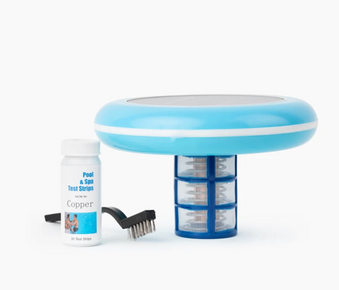
Natural Chemistry Phos Free is a phosphate remover that eliminates algae food sources from pool water. Add 1 liter per 20,000 gallons to remove up to 9,000 ppb phosphates. Pour around pool perimeter with pump running, run filter 48 hours, clean filter, backwash or clean cartridge. This guide covers complete phosphate removal procedures and ongoing maintenance.
Table of Contents
What is Natural Chemistry Phos Free?
Natural Chemistry Phos Free is a specialized phosphate remover designed to eliminate phosphates from swimming pool water. Phosphates are nutrients that feed algae growth, and removing them makes it significantly harder for algae to thrive in your pool. Phos Free uses a unique formula to bind phosphates and remove them through your pool's filtration system, providing a proactive approach to algae prevention.
Key Features of Phos Free
- Phosphate remover: Eliminates algae food source
- Powerful formula: Removes up to 9,000 ppb phosphates per liter
- Works with all sanitizers: Compatible with chlorine, salt, bromine, and mineral systems
- Safe for all surfaces: Compatible with vinyl, fiberglass, plaster, and tile
- Reduces algae growth: Starves algae by removing nutrients
- Lowers chlorine demand: Less algae means less chlorine consumption
- Easy to use: Simple application process
- Professional strength: Used by pool service professionals
Benefits of Phosphate Removal
- Prevents algae growth by removing food source
- Reduces chlorine consumption
- Maintains clearer water
- Reduces need for algaecides
- Lowers overall pool maintenance
- Improves water quality
- Complements existing sanitization
- Environmentally responsible pool care
Understanding Phosphates in Pools
What Are Phosphates?
Phosphates are nutrients that enter pool water from various sources including fertilizers, leaves, pollen, dirt, and even some pool chemicals. Algae use phosphates as a primary food source, and high phosphate levels (above 500 ppb) can make algae problems more difficult to control even with proper chlorine levels.
How Phosphates Enter Your Pool
- Lawn fertilizers and runoff
- Leaves, grass, and organic debris
- Pollen and airborne contaminants
- Fill water from municipal sources
- Some pool chemicals
- Swimmers (lotions, cosmetics)
- Rain and storm water
Why Remove Phosphates?
While phosphates themselves don't harm swimmers, they provide food for algae. By removing phosphates, you eliminate a key nutrient algae need to grow, making it much easier to maintain clear, algae free water with less chemical usage.
When to Use Phos Free
Ideal Situations for Phos Free
High Phosphate Levels:
- Test shows phosphates above 500 ppb
- Recurring algae problems despite proper chlorine
- Difficulty maintaining water clarity
- High chlorine demand
Preventative Maintenance:
- After heavy rain or storms
- After lawn fertilization near pool
- During high pollen seasons
- At pool opening
- When phosphates reach 500 ppb or higher
Algae Treatment:
- As part of comprehensive algae treatment
- After shocking pool for algae
- To prevent algae recurrence
- When algae keeps returning
For severe algae problems, see how to fix green pool quickly.
Step by Step Application Guide
Step 1: Test Phosphate Levels
Before treating, test your pool's phosphate level:
- Use phosphate test kit or test strips
- Follow test kit instructions carefully
- Record phosphate level in ppb (parts per billion)
- Target: Keep phosphates below 500 ppb
- Treatment recommended when above 500 ppb
Step 2: Test and Balance Water Chemistry
Ensure proper water balance before adding Phos Free:
- pH: 7.2 to 7.6
- Total Alkalinity: 80 to 120 ppm
- Free Chlorine: 1 to 3 ppm
- Calcium Hardness: 200 to 400 ppm
Learn about how to maintain your pool's pH balance and how to manage pool water hardness.
Step 3: Calculate Pool Volume
Accurate dosage depends on knowing your pool's water volume:
Rectangular Pools:
Length (ft) × Width (ft) × Average Depth (ft) × 7.5 = Gallons
Round Pools:
Diameter (ft) × Diameter (ft) × Average Depth (ft) × 5.9 = Gallons
Oval Pools:
Length (ft) × Width (ft) × Average Depth (ft) × 6.7 = Gallons
Step 4: Determine Phos Free Dosage
Natural Chemistry Phos Free dosage guidelines:
Standard Dosage
1 liter per 20,000 gallons removes up to 9,000 ppb phosphates
Dosage Examples:
- 10,000 gallon pool: 0.5 liter (16 oz)
- 15,000 gallon pool: 0.75 liter (24 oz)
- 20,000 gallon pool: 1 liter (32 oz)
- 25,000 gallon pool: 1.25 liters (40 oz)
- 30,000 gallon pool: 1.5 liters (48 oz)
Dosage Based on Phosphate Levels
- 500 to 3,000 ppb: Use standard dosage
- 3,000 to 6,000 ppb: May need double dose
- Above 6,000 ppb: May require multiple treatments
- Retest after 48 hours and retreat if needed
Step 5: Start Pool Pump
Ensure proper circulation before adding Phos Free:
- Turn on pool pump to normal operating speed
- Verify water is circulating properly
- Check that all return jets are flowing
- Ensure skimmers are functioning
- Plan to run pump continuously for 48 hours
Learn about how pool circulation supports proper maintenance.
Step 6: Add Phos Free to Pool
Apply phosphate remover evenly around pool:
- Shake Phos Free bottle well before using
- Measure correct amount based on pool size
- Pour Phos Free slowly around pool perimeter
- Walk around entire pool while pouring
- Distribute evenly for best results
- Pour near return jets for better mixing
- Do not add directly to skimmer
Step 7: Run Pump Continuously
Critical step for phosphate removal:
- Run pump continuously for 48 hours
- Do not turn off pump during this period
- Allows Phos Free to bind with phosphates
- Phosphates are captured by filter
- Monitor filter pressure during treatment
Step 8: Clean Filter
Essential step after 48 hours:
Sand or DE Filters:
- Backwash filter thoroughly
- May need to backwash 2 to 3 times
- Run until water runs clear
Cartridge Filters:
- Remove and clean cartridge thoroughly
- Rinse with hose until water runs clear
- May need chemical cleaning if heavily soiled
- Replace cartridge if very old or damaged
Step 9: Retest Phosphate Levels
Verify treatment effectiveness:
- Wait 48 hours after treatment
- Test phosphate levels again
- Should be significantly reduced or near zero
- If still high, may need additional treatment
- Resume normal pool maintenance
Ongoing Maintenance Schedule
Phosphate Testing Schedule
Monthly Testing:
- Test phosphates monthly during swim season
- More frequently if near fertilized lawns
- After heavy rain or storms
- If algae problems recur
- Keep phosphates below 500 ppb
When to Retreat
- When phosphates reach 500 ppb or higher
- After heavy rain that introduces runoff
- After lawn fertilization near pool
- If algae problems return despite proper chlorine
- At pool opening if phosphates are high
Regular Pool Maintenance
Weekly:
- Test water chemistry (pH, alkalinity, chlorine)
- Skim surface and empty skimmer baskets
- Brush pool walls and floor
- Vacuum pool if needed
- Check filter pressure
Follow a comprehensive pool cleaning checklist for beginners.
Monthly:
- Test phosphate levels
- Clean or backwash filter
- Test all water parameters
- Clean pool tiles and waterline
- Inspect pool equipment
Learn how to clean pool tiles effectively.
Pro Tips for Maximum Effectiveness
Expert Tips from Pool Professionals
- Test first: Always test phosphates before treating
- Run pump 48 hours: Don't skip this critical step
- Clean filter after: Essential for removing captured phosphates
- Remove debris first: Clean pool before treating for best results
- Monitor filter pressure: May rise during treatment
- Retest after treatment: Verify phosphates were removed
- Prevent introduction: Keep lawn fertilizers away from pool
- Remove leaves promptly: Organic matter adds phosphates
- Test after rain: Storm water can introduce phosphates
- Practice eco-friendly methods: Learn eco-friendly pool cleaning practices
Avoid Common Mistakes
- Not running pump 48 hours: Reduces effectiveness
- Not cleaning filter after: Phosphates remain in filter
- Overdosing: More is not better, follow dosage guidelines
- Treating without testing: May not need treatment
- Adding to skimmer: Always add around perimeter
- Turning off pump: Needs continuous circulation
- Not retesting: Can't verify treatment success
- Ignoring debris: Remove leaves and organic matter
Maximizing Phosphate Removal
Proper Dosage: Use correct amount based on pool size and phosphate level for optimal results.
Continuous Circulation: Run pump 48 hours without interruption to allow Phos Free to work.
Filter Cleaning: Thoroughly clean filter after treatment to remove captured phosphates.
Prevention: Remove debris weekly and keep fertilizers away from pool to prevent phosphate introduction.
Troubleshooting Common Issues
Problem: Water Turned Cloudy After Treatment
Cause: Normal reaction as phosphates are being removed
Solutions:
- Continue running pump for full 48 hours
- Cloudiness should clear within 48 hours
- Clean filter after 48 hours
- Add clarifier if cloudiness persists
- Verify filter is functioning properly
See how to handle cloudy water in swimming pools and learn about how to use pool clarifiers.
Problem: Phosphates Still High After Treatment
Solutions:
- Verify pump ran continuously for 48 hours
- Ensure filter was cleaned after treatment
- May need additional treatment for very high levels
- Check for ongoing phosphate sources (fertilizers, debris)
- Retest to confirm phosphate level
- Apply second treatment if needed
Problem: Filter Pressure Very High
Cause: Filter capturing phosphates and debris
Solutions:
- This is normal during treatment
- Backwash or clean filter if pressure rises 8 to 10 PSI
- May need to clean filter multiple times
- Continue running pump for full 48 hours
- Clean filter thoroughly after treatment
Problem: Algae Still Growing
Solutions:
- Phosphate removal alone doesn't kill algae
- Shock pool to kill existing algae
- Brush pool surfaces vigorously
- Maintain proper chlorine levels (1 to 3 ppm)
- Add algaecide if needed
- Phosphate removal prevents future algae growth
For additional algae prevention, see how to use algaecides.
Frequently Asked Questions
How much Phos Free should I use?
Use 1 liter per 20,000 gallons to remove up to 9,000 ppb phosphates. For a 20,000 gallon pool, use 1 liter. For a 10,000 gallon pool, use 0.5 liter (16 oz).
How long after adding Phos Free can I swim?
You can swim immediately after adding Phos Free. However, water may be cloudy for up to 48 hours as phosphates are being removed. Wait until water clears for best swimming experience.
Do I need to remove phosphates from my pool?
While not required, removing phosphates (especially above 500 ppb) makes algae prevention much easier and reduces chlorine consumption. It's a proactive approach to pool maintenance.
Will Phos Free kill algae?
No. Phos Free removes phosphates (algae food) but doesn't kill existing algae. For active algae, shock pool first, then use Phos Free to prevent recurrence.
How often should I use Phos Free?
Use Phos Free when phosphate levels reach 500 ppb or higher. Test monthly and treat as needed. Frequency depends on phosphate introduction from rain, debris, and fertilizers.
Can I use Phos Free with chlorine?
Yes! Phos Free works with all sanitizers including chlorine, salt, bromine, and mineral systems. It complements your existing sanitization program.
Why is my pool cloudy after adding Phos Free?
Cloudiness is normal as Phos Free binds with phosphates. Continue running pump for 48 hours, then clean filter. Water should clear within 48 hours.
Do I need to clean my filter after using Phos Free?
Yes! Cleaning your filter after 48 hours is essential. The filter captures the phosphates bound by Phos Free, and they must be removed through backwashing or cartridge cleaning.
Can I use Phos Free in a saltwater pool?
Yes! Phos Free is compatible with all pool types including saltwater, chlorine, bromine, and mineral systems.
Learn about cleaning and maintaining saltwater pools.
Will Phos Free lower my chlorine demand?
Yes! By removing phosphates (algae food), there's less algae growth, which means less chlorine is consumed fighting algae. This can significantly reduce chlorine usage.
Can I use Phos Free with a solar pool ionizer?
Yes! Phos Free removes phosphates while solar pool ionizers prevent algae through mineral sanitization. They work well together for comprehensive algae prevention.
Explore pool ionizer pros and cons and the advantages of solar pool ionizers for residential pools.
Conclusion
Natural Chemistry Phos Free provides effective phosphate removal that helps prevent algae growth by eliminating a key nutrient algae need to thrive. By following proper application procedures (1 liter per 20,000 gallons), running your pump continuously for 48 hours, and thoroughly cleaning your filter afterward, you can significantly reduce phosphate levels and make pool maintenance easier with less chemical usage and fewer algae problems.
Key Takeaways
- Dosage: 1 liter per 20,000 gallons removes up to 9,000 ppb phosphates
- Test phosphates before treating (treat when above 500 ppb)
- Pour around pool perimeter with pump running
- Run pump continuously for 48 hours after application
- Clean filter thoroughly after 48 hours (essential step)
- Retest phosphates after treatment to verify removal
- Test phosphates monthly during swim season
- Remove debris weekly to prevent phosphate introduction
- Keep lawn fertilizers away from pool area
- Works with all sanitizers and pool types
For comprehensive algae prevention that works alongside phosphate removal, consider adding a Solar Pool Ionizer which uses solar power to release copper and silver ions continuously, reducing chlorine needs by up to 85% while providing season long algae and bacteria prevention that complements phosphate removal for the ultimate in low-maintenance, eco-friendly pool care.