BioGuard Back Up 2 is a total alkalinity increaser for swimming pools. Add 1.5 lbs per 10,000 gallons to raise alkalinity by 10 ppm. Dissolve in bucket, pour around perimeter with pump running, wait 4 hours, retest. Maintain alkalinity at 80 to 120 ppm for proper pH buffering. This guide covers complete dosing, application, and water balance for optimal pool chemistry.
Table of Contents
What is BioGuard Back Up 2?
BioGuard Back Up 2 is a professional grade total alkalinity increaser formulated to raise and maintain proper alkalinity levels in swimming pools. This sodium bicarbonate based product acts as a pH buffer, preventing rapid pH fluctuations and making pool water chemistry easier to manage. Back Up 2 is an essential component of proper pool water balance, working alongside pH adjusters and sanitizers to maintain optimal water quality.
Key Features of BioGuard Back Up 2
- Raises total alkalinity: Increases alkalinity levels safely and effectively
- pH buffer: Stabilizes pH and prevents fluctuations
- Fast dissolving: Granular formula dissolves quickly in water
- Safe for all surfaces: Compatible with vinyl, fiberglass, plaster, and tile
- Works with all sanitizers: Compatible with chlorine, salt, bromine, and mineral systems
- Professional strength: Used by pool service professionals
- Easy to use: Simple application process
- Essential for water balance: Critical component of pool chemistry
How BioGuard Back Up 2 Works
BioGuard Back Up 2 uses sodium bicarbonate to increase total alkalinity in pool water. Total alkalinity acts as a buffer that resists pH changes, preventing pH from bouncing up and down. Proper alkalinity levels make pH easier to maintain and protect pool surfaces and equipment from damage caused by pH fluctuations.
Why Total Alkalinity Matters
The Role of Total Alkalinity
Total alkalinity is the measure of your pool water's ability to resist pH changes. Think of alkalinity as a shock absorber for pH. When alkalinity is in the proper range (80 to 120 ppm), pH remains stable. When alkalinity is too low, pH bounces up and down rapidly, making water balance nearly impossible.
Benefits of Proper Alkalinity
- Stabilizes pH levels: Prevents rapid pH fluctuations
- Makes pH easier to adjust: pH changes are more predictable
- Protects pool surfaces: Prevents etching and corrosion
- Protects equipment: Reduces damage to pumps, heaters, and filters
- Improves swimmer comfort: Stable pH means comfortable water
- Enhances sanitizer effectiveness: Chlorine works best at proper pH
- Reduces chemical costs: Less pH adjuster needed
- Prevents cloudy water: Proper alkalinity supports water clarity
Problems Caused by Low Alkalinity
- pH bounces up and down rapidly
- Difficulty maintaining proper pH
- Corrosion of metal equipment and fittings
- Etching of plaster surfaces
- Eye and skin irritation for swimmers
- Reduced chlorine effectiveness
- Staining of pool surfaces
- Increased chemical consumption
Learn about how to maintain your pool's pH balance for complete water chemistry management.
When to Use Back Up 2
Situations Requiring Alkalinity Adjustment
Pool Opening:
- Test alkalinity at spring opening
- Adjust before balancing pH
- Establishes proper water balance for season
Weekly Testing Shows Low Alkalinity:
- Total alkalinity below 80 ppm
- pH is difficult to maintain
- pH drops quickly after adjustment
After Heavy Rain:
- Rainwater dilutes alkalinity
- Test and adjust after storms
- Prevents pH instability
After Partial Drain and Refill:
- Fresh water may have low alkalinity
- Test and adjust after adding water
- Reestablishes proper buffer capacity
pH Won't Stay Stable:
- pH keeps dropping despite adjustments
- pH rises rapidly after lowering
- Indicates low alkalinity needs correction
Step by Step Application Guide
Step 1: Test Your Water Chemistry
Before adding Back Up 2, test your pool water:
- Total Alkalinity: Note current level
- pH: Note current level (don't adjust yet)
- Free Chlorine: Note current level
- Calcium Hardness: Note current level
Important: Always adjust alkalinity BEFORE adjusting pH. Alkalinity affects pH, so balance alkalinity first.
Step 2: Calculate Your Pool Volume
Accurate dosage depends on knowing your pool's water volume:
Rectangular Pools:
Length (ft) × Width (ft) × Average Depth (ft) × 7.5 = Gallons
Round Pools:
Diameter (ft) × Diameter (ft) × Average Depth (ft) × 5.9 = Gallons
Oval Pools:
Length (ft) × Width (ft) × Average Depth (ft) × 6.7 = Gallons
Step 3: Determine Back Up 2 Dosage
BioGuard Back Up 2 dosage guidelines:
Standard Dosage Formula
1.5 lbs per 10,000 gallons raises alkalinity by 10 ppm
Dosage Calculation Examples
To Raise Alkalinity from 60 ppm to 100 ppm (40 ppm increase):
- 10,000 gallon pool: 6 lbs (1.5 lbs × 4)
- 15,000 gallon pool: 9 lbs
- 20,000 gallon pool: 12 lbs
- 25,000 gallon pool: 15 lbs
- 30,000 gallon pool: 18 lbs
To Raise Alkalinity from 70 ppm to 100 ppm (30 ppm increase):
- 10,000 gallon pool: 4.5 lbs (1.5 lbs × 3)
- 15,000 gallon pool: 6.75 lbs
- 20,000 gallon pool: 9 lbs
- 25,000 gallon pool: 11.25 lbs
- 30,000 gallon pool: 13.5 lbs
To Raise Alkalinity from 50 ppm to 100 ppm (50 ppm increase):
- 10,000 gallon pool: 7.5 lbs (1.5 lbs × 5)
- 15,000 gallon pool: 11.25 lbs
- 20,000 gallon pool: 15 lbs
- 25,000 gallon pool: 18.75 lbs
- 30,000 gallon pool: 22.5 lbs
Quick Reference Chart
Amount needed per 10,000 gallons:
- Raise 10 ppm: 1.5 lbs
- Raise 20 ppm: 3 lbs
- Raise 30 ppm: 4.5 lbs
- Raise 40 ppm: 6 lbs
- Raise 50 ppm: 7.5 lbs
Step 4: Prepare Back Up 2 Solution
Proper preparation ensures even distribution:
- Fill a clean plastic bucket with pool water (3 to 5 gallons)
- Measure the correct amount of Back Up 2
- Slowly add Back Up 2 to water (never add water to chemical)
- Stir gently with a plastic stick until dissolved
- Let solution sit for 1 to 2 minutes
Note: For large dosages, you may need to prepare multiple buckets or add in stages.
Step 5: Add Back Up 2 to Pool
Application Steps:
- Turn on pool pump and ensure it's running
- Pour dissolved Back Up 2 solution around pool perimeter
- Walk around pool, distributing evenly
- Pour near return jets for better distribution
- Brush pool surfaces after adding
- Run pump continuously for 4 to 6 hours
Proper circulation is essential. Learn about how pool circulation supports proper maintenance.
Step 6: Wait and Retest
Allow time for Back Up 2 to circulate and dissolve:
- Wait minimum 4 hours before retesting
- 6 to 8 hours is ideal for accurate reading
- Run pump continuously during waiting period
- Do not adjust pH during this time
- Retest total alkalinity after waiting period
Step 7: Adjust pH if Needed
After alkalinity is balanced, adjust pH:
- Test pH level
- Target pH: 7.2 to 7.6 (7.4 to 7.6 ideal)
- Use pH decreaser if pH is above 7.6
- Use pH increaser if pH is below 7.2
- Wait 4 hours between pH adjustments
- Retest to verify proper balance
Understanding Water Balance
The Relationship Between Alkalinity and pH
Total alkalinity and pH are closely related but serve different functions:
Total Alkalinity:
- Measures water's ability to resist pH changes
- Acts as a buffer for pH
- Target range: 80 to 120 ppm
- Adjust BEFORE adjusting pH
pH:
- Measures water's acidity or basicity
- Affects sanitizer effectiveness and swimmer comfort
- Target range: 7.2 to 7.6
- Adjust AFTER alkalinity is balanced
Complete Water Balance Parameters
- Total Alkalinity: 80 to 120 ppm
- pH: 7.2 to 7.6 (7.4 to 7.6 ideal)
- Free Chlorine: 1 to 3 ppm
- Calcium Hardness: 200 to 400 ppm
- Cyanuric Acid: 30 to 50 ppm (chlorine pools)
- Total Dissolved Solids: Below 1500 ppm
Learn about how to manage pool water hardness for complete water balance.
Testing Frequency
- Test alkalinity weekly during swim season
- Test after heavy rain or storms
- Test after adding large amounts of water
- Test at pool opening and closing
- Test whenever pH is difficult to maintain
Pro Tips for Maximum Effectiveness
Expert Tips from Pool Professionals
- Adjust alkalinity first: Always balance alkalinity before adjusting pH
- Add gradually: For large adjustments, add in stages over several days
- Pre-dissolve product: Always dissolve in bucket before adding to pool
- Run pump continuously: Minimum 4 hours circulation after adding
- Wait before retesting: Allow 4 to 6 hours for accurate reading
- Don't rush pH adjustment: Balance alkalinity completely first
- Test regularly: Weekly testing prevents major imbalances
- Keep records: Track alkalinity levels and adjustments
- Use quality tools: Employ the best pool brushes
- Follow checklist: Use pool cleaning checklist
Avoid Common Mistakes
- Adjusting pH before alkalinity: Always adjust alkalinity first
- Adding too much at once: Large adjustments should be staged
- Not pre-dissolving: Undissolved product can cloud water temporarily
- Testing too soon: Wait minimum 4 hours for accurate reading
- Ignoring alkalinity: Low alkalinity makes pH impossible to maintain
- Not running pump long enough: Minimum 4 hours circulation required
- Adding directly to skimmer: Always add around pool perimeter
- Mixing with other chemicals: Add Back Up 2 separately
Maximizing Water Balance
Proper Sequence: Always adjust water chemistry in this order: 1) Total Alkalinity, 2) pH, 3) Calcium Hardness, 4) Sanitizer.
Circulation: Run pump 4 to 6 hours after adding Back Up 2 for proper distribution.
Testing: Use quality test strips or liquid test kit for accurate readings.
Prevention: Weekly testing and small adjustments prevent major imbalances.
Troubleshooting Common Issues
Problem: Alkalinity Won't Rise
Solutions:
- Verify dosage calculation is correct for pool size
- Ensure you waited 4 to 6 hours before retesting
- Check that pump ran continuously during waiting period
- Test kit may be expired or inaccurate (verify with fresh test kit)
- May need larger dose than calculated
- Add in stages if very low (below 40 ppm)
Problem: pH Rose Too High After Adding Back Up 2
Cause: Back Up 2 can raise pH slightly
Solutions:
- This is normal and expected
- Wait until alkalinity is balanced
- Then lower pH with pH decreaser
- Don't try to adjust pH and alkalinity simultaneously
- Follow proper sequence: alkalinity first, then pH
Problem: Water Turned Cloudy After Adding Back Up 2
Cause: Undissolved product or temporary chemical imbalance
Solutions:
- Continue running pump continuously
- Cloudiness should clear within 6 to 12 hours
- Clean or backwash filter if needed
- Add clarifier if cloudiness persists beyond 24 hours
- Ensure proper water balance
See how to handle cloudy water in swimming pools and learn about how to use pool clarifiers.
Problem: pH Keeps Dropping Despite Adjustments
Cause: Low total alkalinity
Solutions:
- Test total alkalinity (likely below 80 ppm)
- Add Back Up 2 to raise alkalinity to 100 to 120 ppm
- Wait 4 to 6 hours
- Retest alkalinity
- Then adjust pH if needed
- Stable alkalinity will keep pH stable
Problem: Alkalinity Too High After Adding Back Up 2
Solutions:
- If alkalinity is above 150 ppm, lower with pH decreaser
- Add pH decreaser gradually
- This will lower both pH and alkalinity
- Retest after 4 hours
- May need multiple adjustments
- Prevent by measuring dosage carefully
Frequently Asked Questions
How much BioGuard Back Up 2 do I need?
Use 1.5 lbs per 10,000 gallons to raise total alkalinity by 10 ppm. Calculate your pool's gallon capacity, determine how much you need to raise alkalinity, then multiply accordingly. For example, to raise alkalinity 40 ppm in a 20,000 gallon pool, use 12 lbs (1.5 × 4 × 2).
What is the ideal total alkalinity for my pool?
The ideal total alkalinity range is 80 to 120 ppm. Most pool professionals recommend targeting 100 to 120 ppm for optimal pH buffering capacity.
Should I adjust alkalinity or pH first?
Always adjust total alkalinity FIRST, then adjust pH. Alkalinity affects pH, so balancing alkalinity first makes pH adjustment easier and more stable.
How long after adding Back Up 2 can I swim?
You can swim immediately after adding Back Up 2, but it's best to wait 4 to 6 hours for the product to fully circulate and dissolve for accurate retesting.
Will Back Up 2 raise my pH?
Yes, Back Up 2 can raise pH slightly. This is normal and expected. After alkalinity is balanced, adjust pH separately if needed.
Can I add Back Up 2 and pH decreaser at the same time?
No. Never add multiple chemicals simultaneously. Add Back Up 2 first, wait 4 to 6 hours, retest, then adjust pH if needed. Wait 4 hours between all chemical additions.
Why does my pH keep dropping?
Constantly dropping pH indicates low total alkalinity. Test alkalinity and raise to 100 to 120 ppm with Back Up 2. Proper alkalinity will stabilize pH.
How often should I test total alkalinity?
Test total alkalinity weekly during swim season, after heavy rain, after adding large amounts of water, and whenever pH is difficult to maintain.
Can I use Back Up 2 in a saltwater pool?
Yes! BioGuard Back Up 2 is safe for all pool types including saltwater, chlorine, bromine, and mineral systems.
Learn about cleaning and maintaining saltwater pools.
What's the difference between alkalinity and pH?
Total alkalinity measures water's ability to resist pH changes (buffer capacity), while pH measures water's acidity or basicity. Alkalinity stabilizes pH, making it easier to maintain.
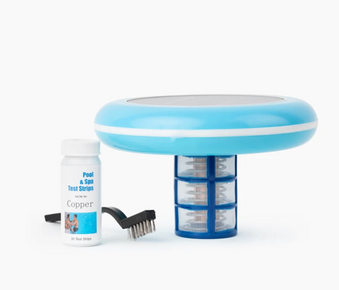
Can I use Back Up 2 with a solar pool ionizer?
Yes! BioGuard Back Up 2 is compatible with all sanitization systems including solar pool ionizers. Proper water balance is essential regardless of sanitization method.
Explore pool ionizer pros and cons and the advantages of solar pool ionizers for residential pools.
Conclusion
BioGuard Back Up 2 is an essential tool for maintaining proper total alkalinity and achieving balanced pool water chemistry. By following proper dosing guidelines, adjusting alkalinity before pH, and testing regularly, you can maintain stable water balance that makes pool care easier and more effective all season long.
Key Takeaways
- Use 1.5 lbs per 10,000 gallons to raise alkalinity by 10 ppm
- Target alkalinity range: 80 to 120 ppm (100 to 120 ppm ideal)
- Always adjust alkalinity BEFORE adjusting pH
- Pre-dissolve Back Up 2 in bucket before adding to pool
- Pour around pool perimeter with pump running
- Wait 4 to 6 hours before retesting alkalinity
- Run pump continuously for 4 to 6 hours after adding
- Test alkalinity weekly during swim season
- Proper alkalinity stabilizes pH and makes pool care easier
- Compatible with all pool types and sanitizer systems
For comprehensive pool care that maintains optimal water balance while reducing chemical usage and providing natural algae prevention, consider adding a Solar Pool Ionizer which works alongside proper water chemistry to naturally prevent algae and bacteria growth while reducing chlorine needs by up to 85%, providing an eco-friendly approach to pool sanitization that complements balanced water chemistry for superior water quality all season long.